
Payments Vouchers – F5
Cash & Bank Payments inTallyPrime
Tracking your expenses is necessary to understand your business cash flow.
Whether payments are made through Cash or Bank,
A Payment Voucher is used to record all types of payments made by the business.
It is mainly used when:
-
💵 Cash is paid
-
🏦 Bank payment is made
-
🧾 Expenses are paid
-
👤 Payment is made to suppliers
-
💰 Loan or liability is cleared
🧾 Example 1: Cash Payment for Salary
Amount Paid ₹8,500 to Raghav for March Salary
Entry:
To Cash A/c 8,500
-
Salary = Expense → Debited
-
Cash = Asset → Credited
🧾 Example 2: Payment to Supplier by Bank
Paid ₹25,000 to ABC Traders by Bank
To Bank A/c 25,000
-
Supplier Account decreases → Debit
-
Bank balance decreases → Credit
📊 Mode of Payments in TallyPrime
-
Cash Payment
-
Bank Payment
-
Cheque Payment
-
Online Payment (NEFT / RTGS / UPI)
TallyPrime provides a simple way to record and track them in reports.
📌 In TallyPrime, You Can
- Record payments and receipts in Single Entry or Double Entry mode.
- Convert a Payment Voucher into a Journal Voucher.
- Add narration for future reference.
- View monthly transactions using the Payment & Receipt Register.
- View all cash/bank transactions in reports.
Types of Payments
- Simple Payment (All Expenses)
- Purchase Bill Payment
- Sales Return Bill Payment
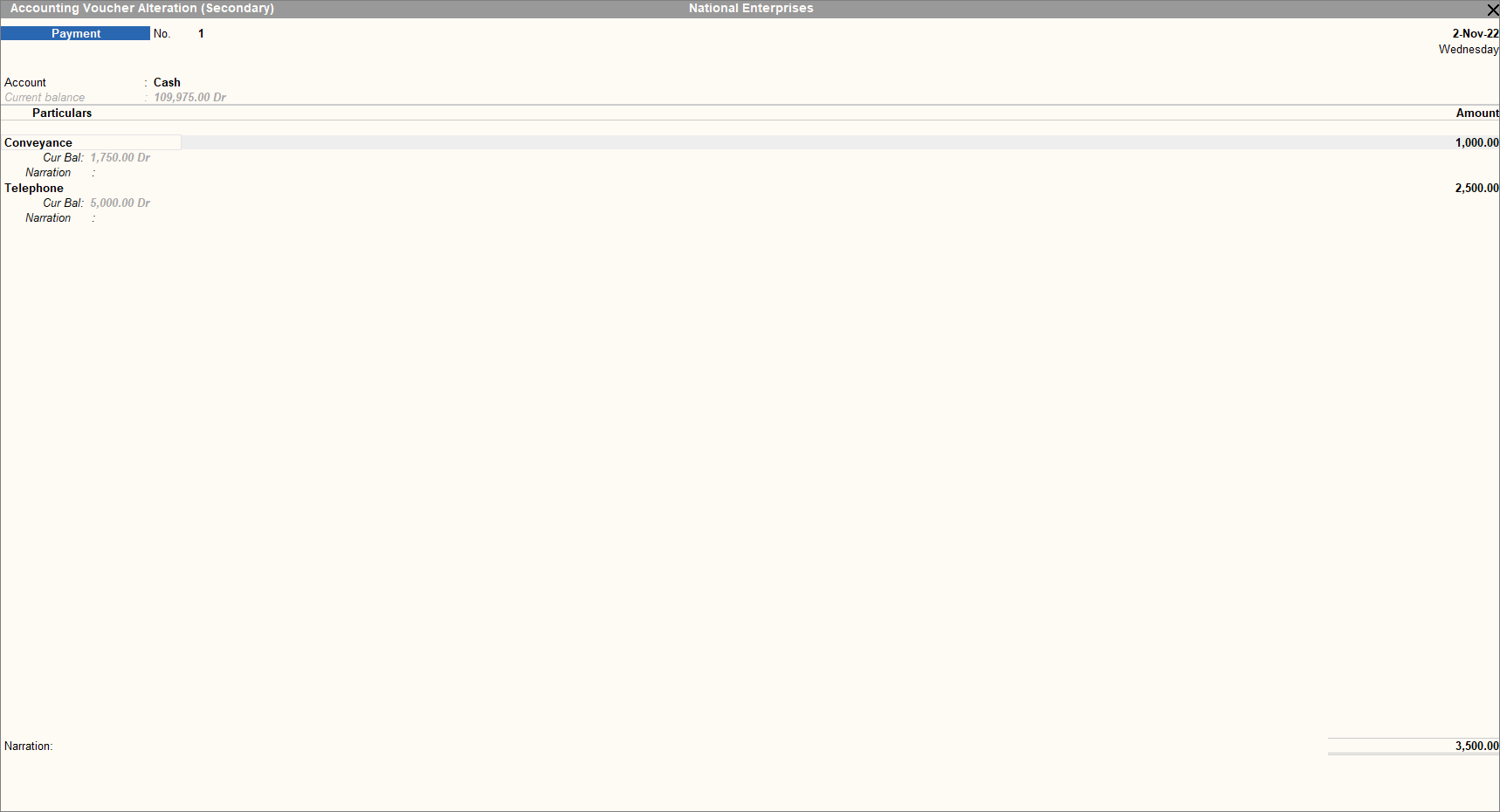
1️⃣ Record Payment by Cash – Single Entry Mode
Entry Example
Transaction:
Amount Paid ₹8,500 to Raghav for March 2025 Salary on 01.04.2025 by Cash
- Open Payment Voucher:
- Gateway of Tally > Vouchers > Press F5
- Press F2 to change date
- Press Ctrl + H → Select Single Entry
- Select Ledgers:
- Account Field → Select Cash Ledger
- Particulars → Select Salary Ledger
- Enter Amount → 8500
- Narration: “Salary due amount Rs. 8500 paid to Raghav for March 2025 on 01-Apr-2025.”
- Press Ctrl + A to Save.
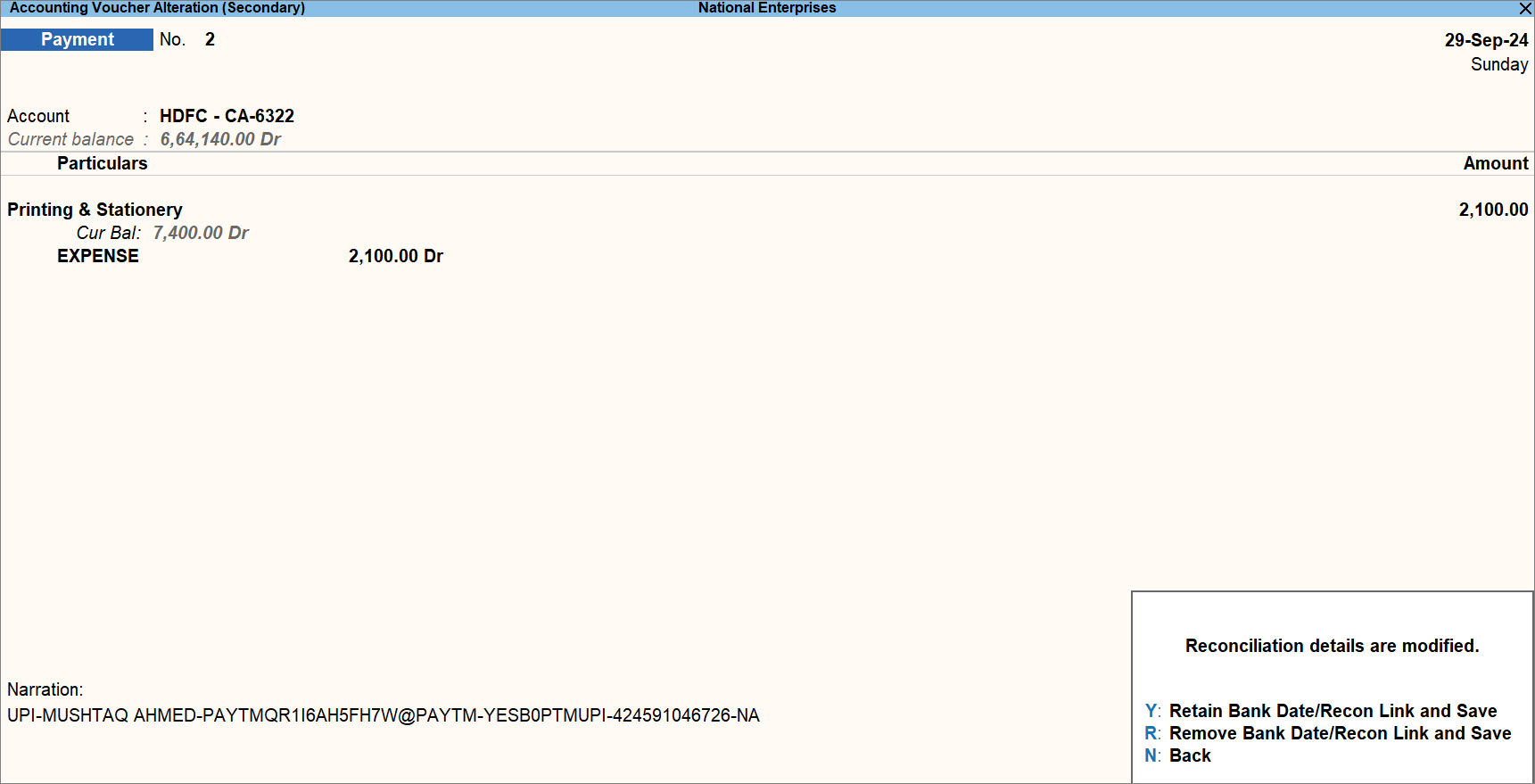
2️⃣ Record Bank Payment – Single Entry Mode
(Cheque / RTGS / NEFT / UPI)
Example:
Amount Paid Rs. 8500 to Raghav for March Salary by HDFC
- Open Payment Voucher:
- Gateway of Tally > Vouchers > Press F5
- Press Ctrl + H → Select Single Entry
- Press F2 to change date
- Select Ledger:
- Account → Select Canara Bank Ledger
- Particulars → Select Salary Ledger
- Enter Amount → 8500
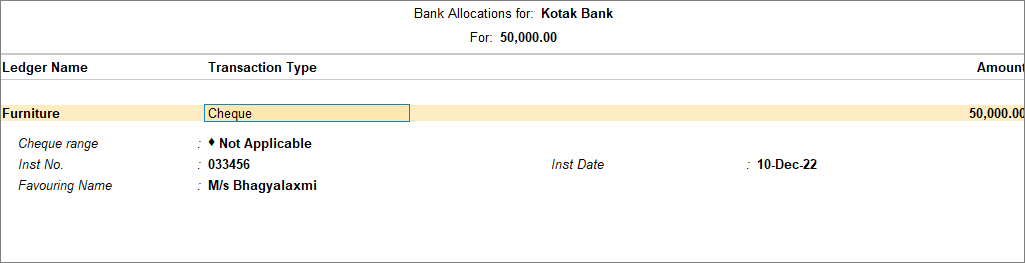
- Bank Allocation Screen:
- Select Transaction Type (Cheque / e-Fund Transfer / Electronic Cheque)
- Enter required bank details
- Narration: “Salary paid through bank.”
- Press Ctrl + A to Save.
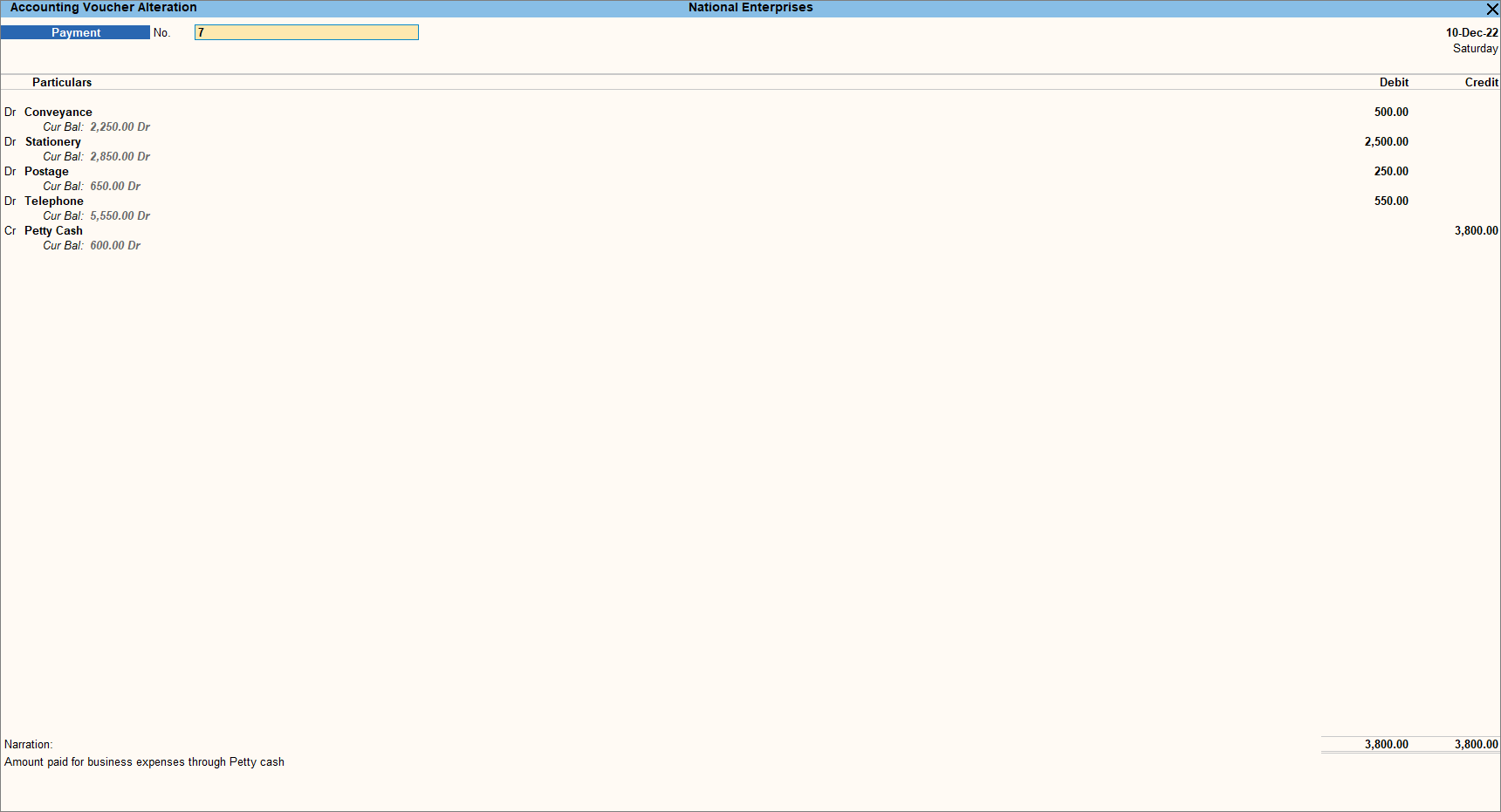
3️⃣ Bank Payment – Double Entry Mode
Example:
Amount Paid Rs. 8500 to Raghav by Canara Bank.
- Open Payment Voucher:
- Press Alt + G → Create Voucher → Press F5
- Press Ctrl + H → Select Double Entry
- Record Entry:
- Debit: Salary Expense – 8500
- Credit: Canara Bank – 8500
- Press Ctrl + A to Save.
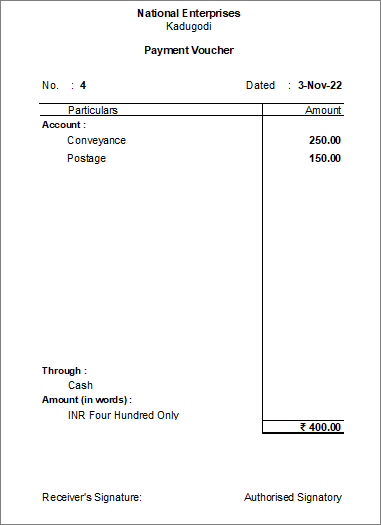
🖨 Print Payment Voucher
- Enable “Print voucher after saving” in Payment Voucher Type.
- Record and save the voucher. Crl + P
- Print screen appears → Select:
- C – Configure
- I – Preview
- P – Print
Payment Register
Payment Register is a monthly report that shows the number of payment transactions recorded.
You can drill down to view and alter vouchers.
Open Payment Register
- Press Alt + G → Type Payment Register → Press Enter
- OR
- Gateway of Tally → Display More Reports → Account Books → Payment Register
- Select required Month → Press Enter
- View list of transactions
- Drill down to view or modify vouchers
- Use Configure to customize report

• F5 is used to record Payment Voucher.
• Payments can be recorded in Single or Double Entry mode.
• Bank allocation details are required for bank payments.
• Payment Register helps track monthly payments easily.
