Introduction & Basics
0/8
Company & Master Setup
0/7
Account Heads || Ledger Create in Tallyprime
0/12
Inventory & Stock Management
0/9
Goods and Services Tax in Tally Prime
0/9
Understanding Voucher Types
0/21
Financial Statements & Reporting
0/6
Advance Tally
GST & Taxation
0/5
Advance Features (Optional / Professional Level)
0/7
Contra Vouchers Entry in Tally Prime
Contra Record – F4
A Contra Voucher is used for transactions that involve only Cash and Bank accounts. Contra in Latin means the opposite. It is more popularly known as contra voucher.
👉 Any transaction affecting Cash ↔ Bank or Bank ↔ Bank is recorded using Contra Voucher.
The word Contra means opposite.
👉 Any transaction affecting Cash ↔ Bank or Bank ↔ Bank
is recorded using a Contra Voucher.
is recorded using a Contra Voucher.
📌 Shortcut Key to Open Contra Voucher
- Press F4 from Voucher Entry screen
📂 Types of Contra Transactions
- Cash Account → Bank Account (Deposit)
- Bank Account → Cash Account (Withdrawal)
- Bank Account → Bank Account (Fund Transfer)
⚡ Quick Understanding Table
| Type | Debit | Credit |
|---|---|---|
| Withdrawal | Cash | Bank |
| Deposit | Bank | Cash |
| Transfer | Receiving Bank | Giving Bank |
Important:
Contra Voucher affects only Cash and Bank Ledgers.
No other ledger (like Sales, Purchase, Expense, etc.) is used in Contra Voucher.
Contra Voucher affects only Cash and Bank Ledgers.
No other ledger (like Sales, Purchase, Expense, etc.) is used in Contra Voucher.
Contra Vouchers for Deposit
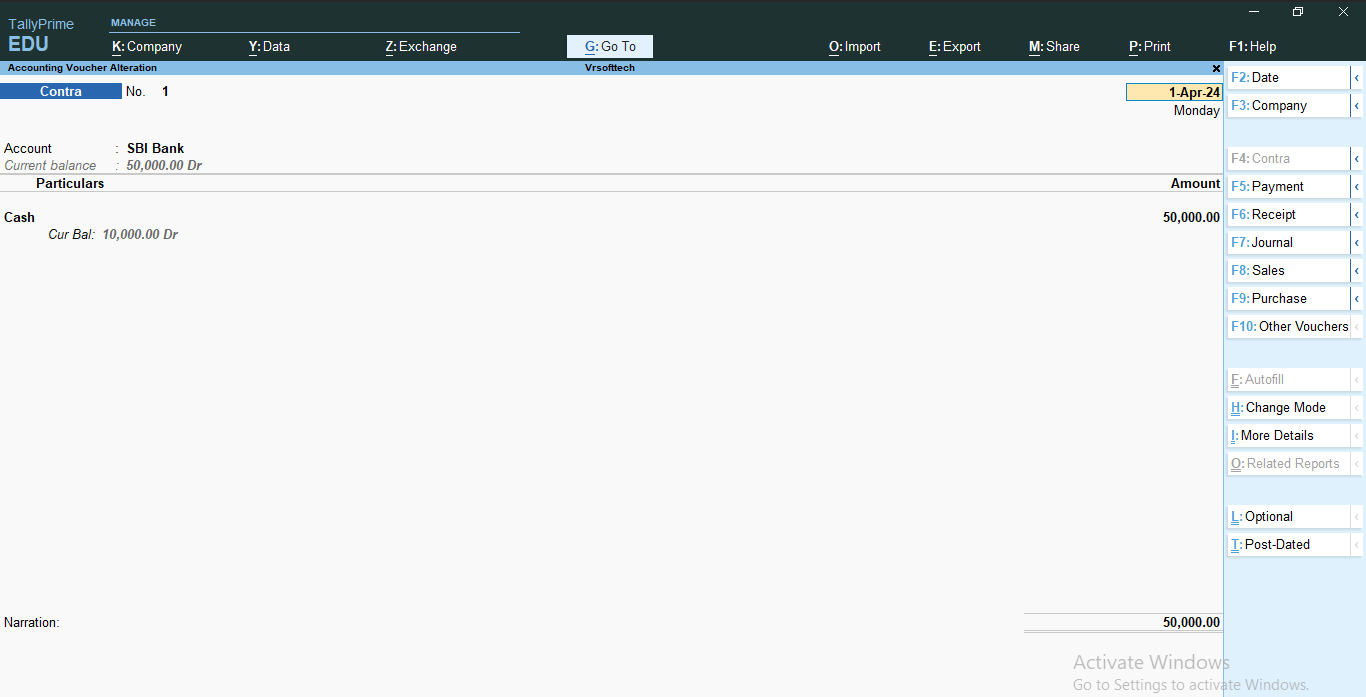
How to Record Contra Voucher for Cash Deposit?(Cash Account to Bank Account – Single Entry Mode)
Transaction:
Deposit cash ₹5,000 into DBS Bank on 01-04-2025
Accounting Effect:
- SBI Bank A/c → Debit
- Cash A/c → Credit
Steps
- Open Contra Voucher
- Press Alt + G → Create Voucher → F4 (Contra).
- Set Voucher Date
- Press F2 and enter the date 01-04-2023.
- Select Account
- In the Account field, choose SBI Bank.
- Enter Particulars
- Select Cash.
- Enter the Amount: ₹5,000.
- Choose Transaction Type
- Select Transaction Type: Cash.
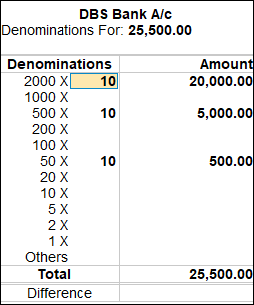
- Enter Denomination Details (Optional)
- Provide currency denomination details if this feature is enabled.
- Enter Narration
- Type:
“Cash deposited into DBS Bank.”
- Type:
- Save the Voucher
- Press Ctrl + A to accept and save the entry.