
✅ Data Backup & Restore
💾 Backup & Restore
✅ Backup Company Data
Backup means creating a copy of company data and saving it in another location (Pen Drive, External Hard Disk, Another Folder, etc.).
It helps to:
-
Protect data from system crash
-
Recover data if deleted
-
Transfer data to another computer
👉 Always take backup before:
-
Data migration
-
System formatting
-
Deleting company
-
Major changes
📝 Steps to Take Backup in TallyPrime
-
Open TallyPrime
-
Press Alt + K (Company Menu)
-
Select Backup
-
Select the Company
-
In Destination Path, select location (Example: D:\Backup or Pen Drive)
-
Press Enter
-
Press Ctrl + A to accept
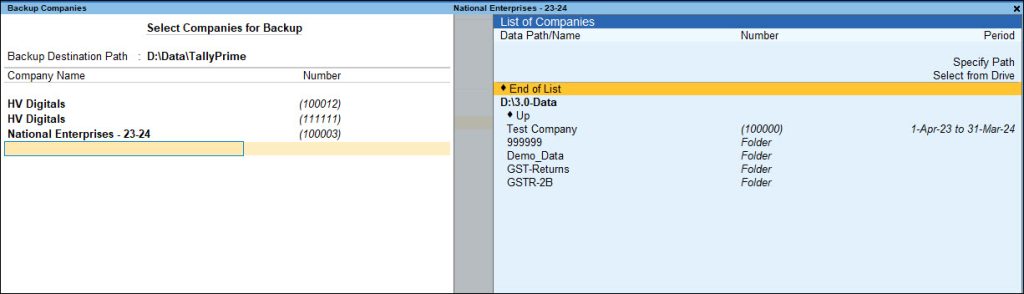
✅ Backup will be created successfully.
🔄 Restore Company Data
Restore means bringing back the backed-up company data into TallyPrime.
Used when:
-
Data is deleted
-
System is changed
-
You want to open data from backup file
📝 Steps to Restore Company Data
-
Open TallyPrime
-
Press Alt + K
-
Select Restore
-
In Source Path, select backup location
-
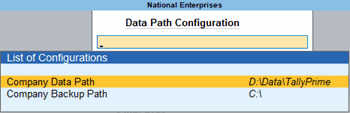
In Destination Path, select Tally Data folder
-
Select the Company
-
Press Ctrl + A to Restore
✅ Company will be restored successfully.
📌 Important Points
-
Backup file must not be corrupted.
-
Ensure enough storage space before restoring.
-
Do not restore in the same folder where company already exists (avoid overwrite).
-
Always verify restored data by opening the company.
📊 Quick Difference
| Option | Meaning |
|---|---|
| Backup | Create copy of company data |
| Restore | Recover data from backup |
