
✅ Alter | Modify the Compnay Details
Alter Company means changing or updating the existing company information in TallyPrime.
You can modify details like:
-
Company Name
-
Address
-
Phone Number
-
Email ID
-
GST Details
-
Financial Year
-
Security Settings
This option is used when you want to correct or update company information after creation.
📝 Steps to Alter (Modify) Company in TallyPrime
-
Press
Alt + K(Company Menu) -
Select Alter
-
Choose the required company from the list
-
Make the necessary changes
-
Press
Ctrl + Ato Save
📌 Example for Practice
If you created:
Titan Electronics Hub Pvt Ltd
Later you want to:
-
Change phone number
-
Update GSTIN
-
Modify address
You will use the Alter option.
✅ Delete Company | Alt + D
❌ Delete Company means permanently removing an existing company and all its data from TallyPrime.
When you delete a company:
-
All ledgers
-
All vouchers
-
All inventory details
-
All reports
will be permanently erased.
⚠️ This action cannot be undone. Always take a backup before deleting.
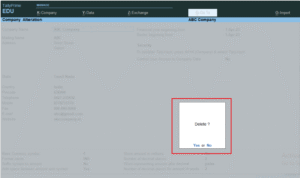
📝 Steps to Delete Company in TallyPrime
-
Press Alt + K (Company Menu)
-
Select Alter
-
Choose the company you want to delete
-
Press Alt + D
-
Press Enter to confirm deletion
📌 Example (For Practice)
If you created a company:
Titan Electronics Hub Pvt Ltd
And you want to remove it completely from TallyPrime:
👉 Go to Alter → Select company → Press Alt + D → Confirm.
🔎 Important Points
-
You must be in Company Alter mode to delete.
-
Company should not be in use by another user (in multi-user mode).
-
Always create a data backup before deletion.
